
Audit your workspace like a designer.
This guide walks you through a clear, step-by-step workplace audit: where your desk sits, how you support your posture, how light lands on your screen, and how your routines shape attention. It’s practical, Scandinavian, and written for everyday use in the US.
Step-by-step
How to run a workplace audit in 20 minutes

Quick checklist (use as a repeat habit)
- Your feet have stable contact (even if it’s a footrest).
- Your shoulders are not “held up.” Relax them on purpose.
- Text is readable without squinting. No strong glare hits your eyes.
- One “home” spot for essentials: notebook, pen, water, charger.
- One “reset” ritual: tidy for 2 minutes before the next work block.
Workplace audits aren’t about perfection. They’re about noticing patterns: what makes you lean, reach, squint, or lose track.
Practical Feng Shui
What Feng Shui is—and how to use it at your desk
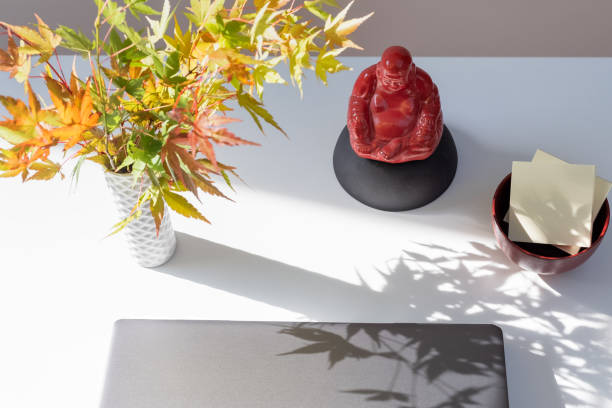
Feng shui in plain language
Feng shui is an approach to organizing spaces so that daily movement feels smoother and your attention is less “pulled” by clutter. It’s not magic. It’s a design mindset: you arrange your environment to support comfort, visibility, and a sense of control.
How to apply it (without overthinking)
- Command position: place your monitor so you can see the doorway (or your main path) without turning your body.
- Solid support: if possible, have a stable surface behind you (wall, shelf, or chair back) so you don’t feel exposed.
- Clear sightlines: keep the direct line between your eyes and your work surface calm and uncluttered.
- Balance the sides: if one side is heavy with paper or cables, balance it with storage or minimal objects.
- Introduce “softness”: add a plant, fabric texture, or warm desk lamp glow to reduce harshness.
Mini routine: 2-minute desk reset
Before you start a deep work session, do a quick “energy reset.” Straighten your desk edge, place tools in one tray, and wipe the monitor (even a quick pass). This gives your brain a consistent start signal.
The goal is simple: make it easier to begin, and easier to stay focused.
Comfort & Control
Ergonomics: set up for support, not “perfect posture”
The best ergonomic setup is the one that makes good positions easier to choose.
Set your three anchors
- Height: chair height so hips are comfortable and elbows can bend without reaching.
- Distance: keep keyboard close so shoulders aren’t pulled forward.
- Angle: adjust monitor tilt and keyboard angle so your wrists stay neutral while typing.
If you’re unsure where to start, move in small increments (1–2 steps of adjustment), then reassess for ease of movement.
One “comfort rule”
If you notice your body bracing (shoulders up, jaw tight, leaning forward), treat it as a signal to adjust. Your setup should support you, not ask you to fight gravity.
Health & Safety Guidelines
Health & Safety Guidelines: safety basics for a more comfortable work rhythm

What “guidelines” means here
These guidelines focus on everyday workplace habits: visibility, movement, and desk setup basics. They are not professional guidance substitutes and they don’t replace personalized assessment. Use them as general safety orientation.
Good work environments reduce unnecessary strain by making comfortable choices simpler.
- Screen clarity: avoid severe glare and keep text readable without squinting.
- Movement: build breaks into your workflow, not as an afterthought.
- Posture support: adjust chair and monitor height so you don’t constantly fight the setup.
- Workspace hygiene: keep aisles clear, tidy cables, and secure items so they don’t fall or distract.
- Comfort feedback: notice when you brace and adjust the environment for easier movement.
Make safety “automatic”
Add one reminder cue in your tool you already use: a calendar block, a timer label, or a sticky note near the keyboard. Pair it with an easy action: stand up, roll shoulders gently, and return with a clear goal for the next block.
Your goal is consistency and comfort, not intensity.
Events Calendar
Events Calendar: events you can copy into your own month
This is a sample calendar. Treat it as templates for workshops, check-ins, and desk-reset sessions.
How to run a low-pressure session
- Use a timer: 10 minutes for setup, 10 minutes for testing, 5 minutes for feedback.
- Pick one metric: “Can I work without squinting?” or “Can I reach without twisting?”
- End with one actionable change for next week. Keep the steps small and clear.
Want a topic request?
Send a message through our contacts page. We’ll use your suggestions to shape future guides and event ideas.
Focus system
Where your attention goes: design a focus routine
Focus improves when your environment reduces decision-making.
Build a “start signal”
Your brain likes predictable routines. Create a start signal you can repeat: open the same project tab, place a pen on paper, and make sure the screen isn’t fighting glare. Repeat that sequence before each deep work block.
Design your desk for fewer decisions
- Put the current task tool in the “top zone” of your desk.
- Store everything else in one closed container to lower visual interruption.
- Keep a water bottle within one comfortable reach to reduce mid-session breaks.
Try this 7-minute reset
Set a timer. For 2 minutes, tidy your desk edges. For 3 minutes, plan the next single task. For 2 minutes, adjust your posture and verify screen clarity. Then start working immediately.
FAQs
FAQs: quick questions about workspace audits
Practical answers, no hype. If something doesn’t fit your life, adjust it.
Do I need to buy special equipment?
Not at first. Start with layout and simple adjustments: monitor height, keyboard distance, cable tidy, and light angle. Equipment can help, but it’s optional. The biggest improvements usually come from removing friction and improving visibility.
Is Feng Shui the same as decoration?
Decoration is part of it, but Feng Shui focuses on how space affects daily flow. In a workplace audit, you use it to support clarity: your line of sight, the “command” feeling, stable support behind you, and tidy zones that make starting tasks easier.
How often should I redo my audit?
Think in seasons or habits. A short review once a month is enough for many people. If you change roles, use more equipment, or move your desk, do a quick re-check within a week. The goal is steady improvement, not one-time perfection.
Next steps
Pick one upgrade for tomorrow
Want help choosing? Send feedback and we’ll suggest a simple next action based on your description.
Suggested upgrades (choose one)
- Raise the monitor slightly and confirm that you don’t look down.
- Reposition a lamp so glare doesn’t land on the screen.
- Create a “home tray” for daily tools and keep it consistent.
- Do a 2-minute reset before the next work block.
Write to us
Share what feels difficult in your current setup. If you can, mention your desk, monitor position, and what distracts you most.
This website provides general lifestyle information only and does not constitute professional guidance.